

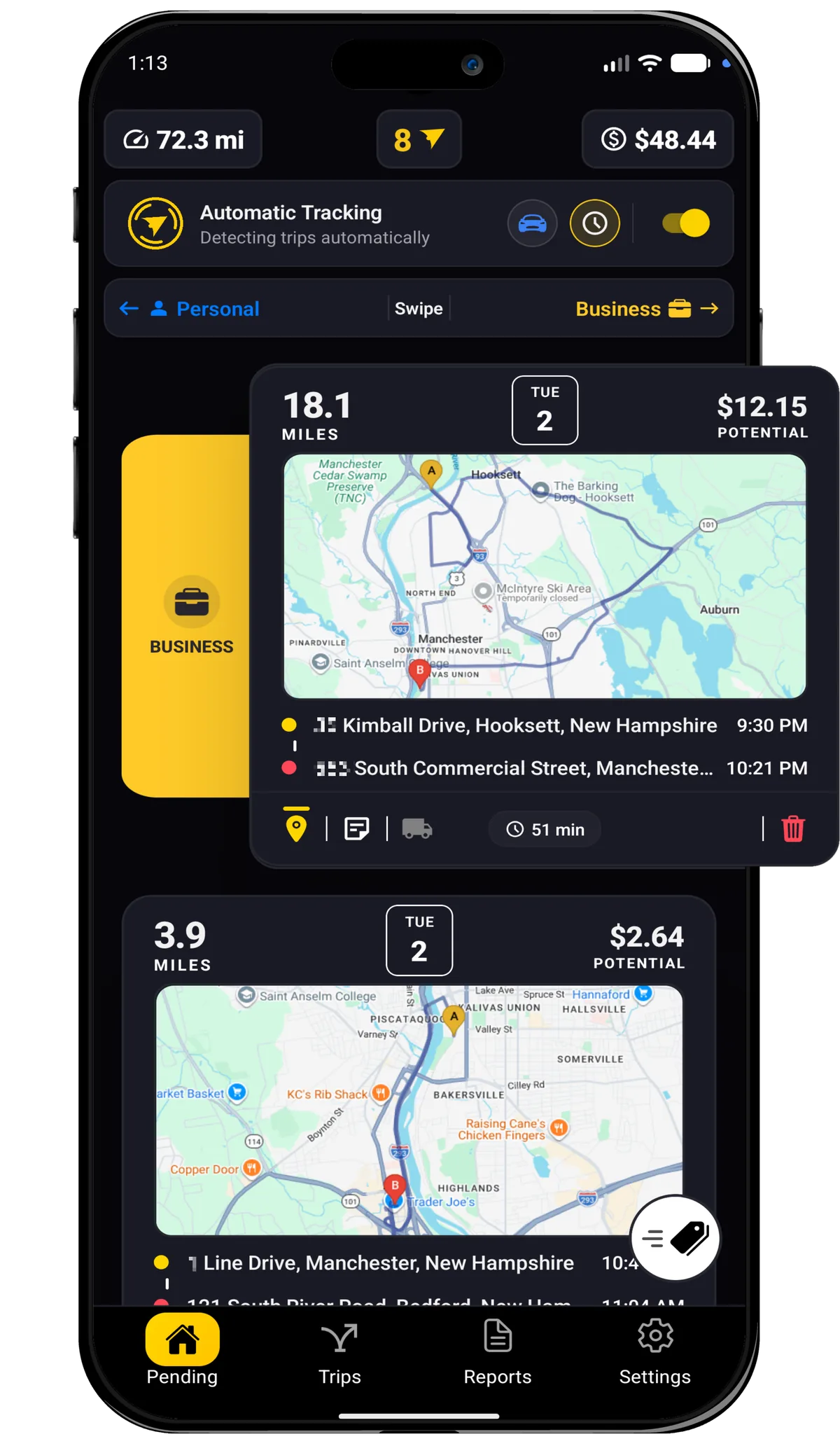
Automatic trip tracking
Detects trips in the background using location, motion, and device activity.

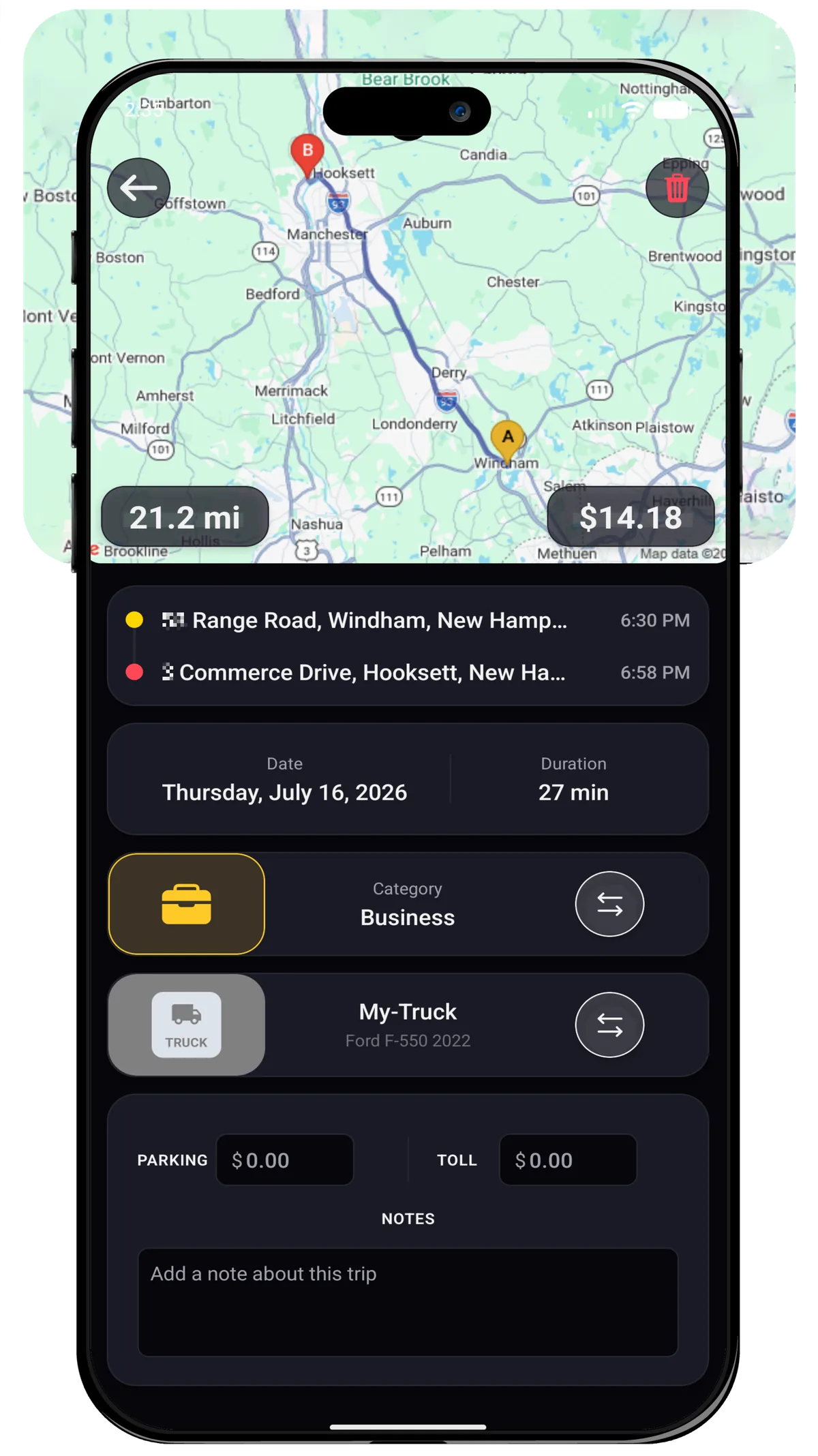
Trip details
View route, map, distance, duration, time, addresses, category, vehicle, and expenses for each trip.

App Details
millaje automatically tracks your trips, organizes them by category, and turns your miles into tax-ready reports. Classify trips, add expenses, manage vehicles, and export PDF or CSV reports from one app.
Detects trips in the background using location, motion, and device activity.
View route, map, distance, duration, time, addresses, category, vehicle, and expenses for each trip.
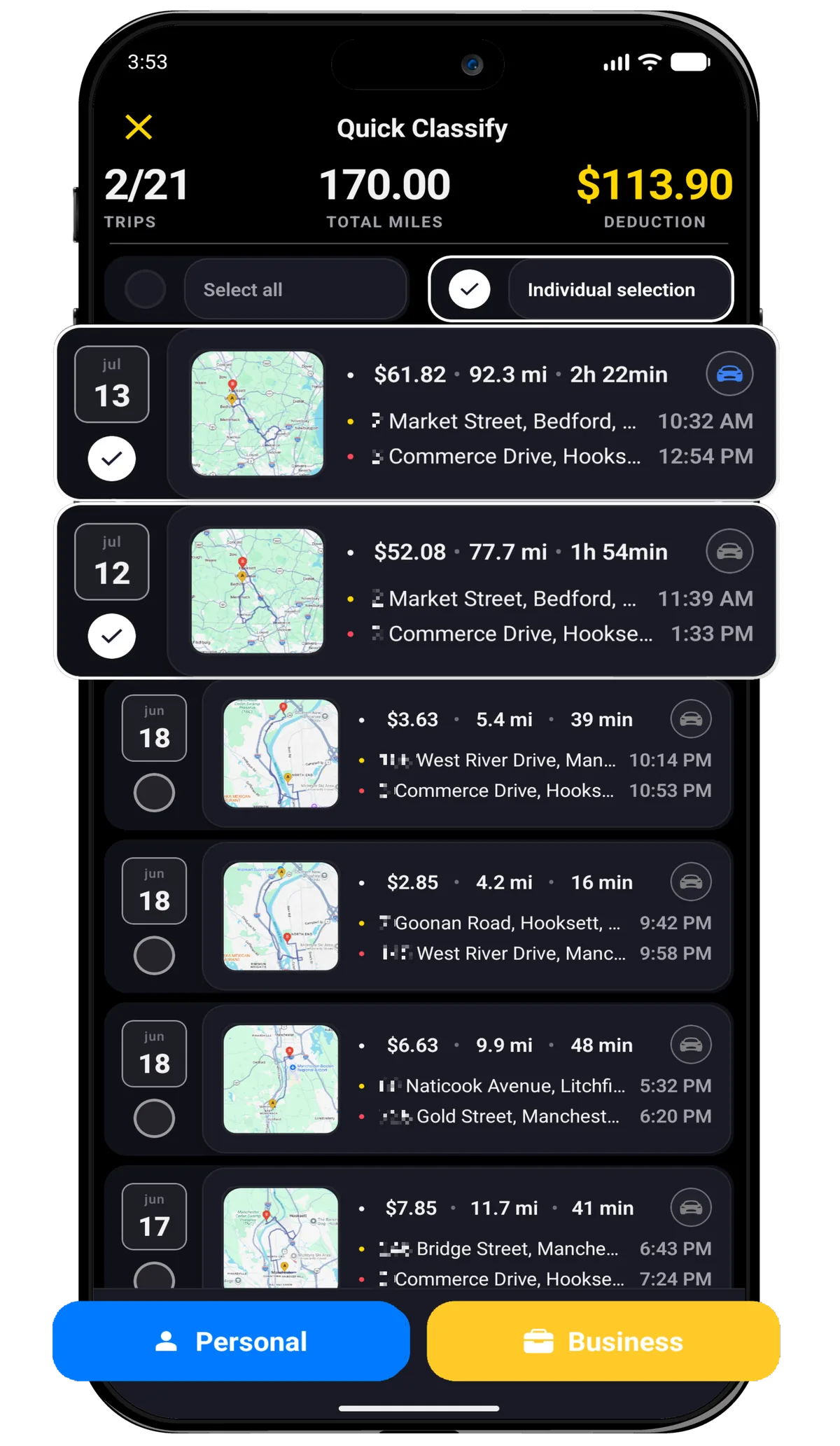
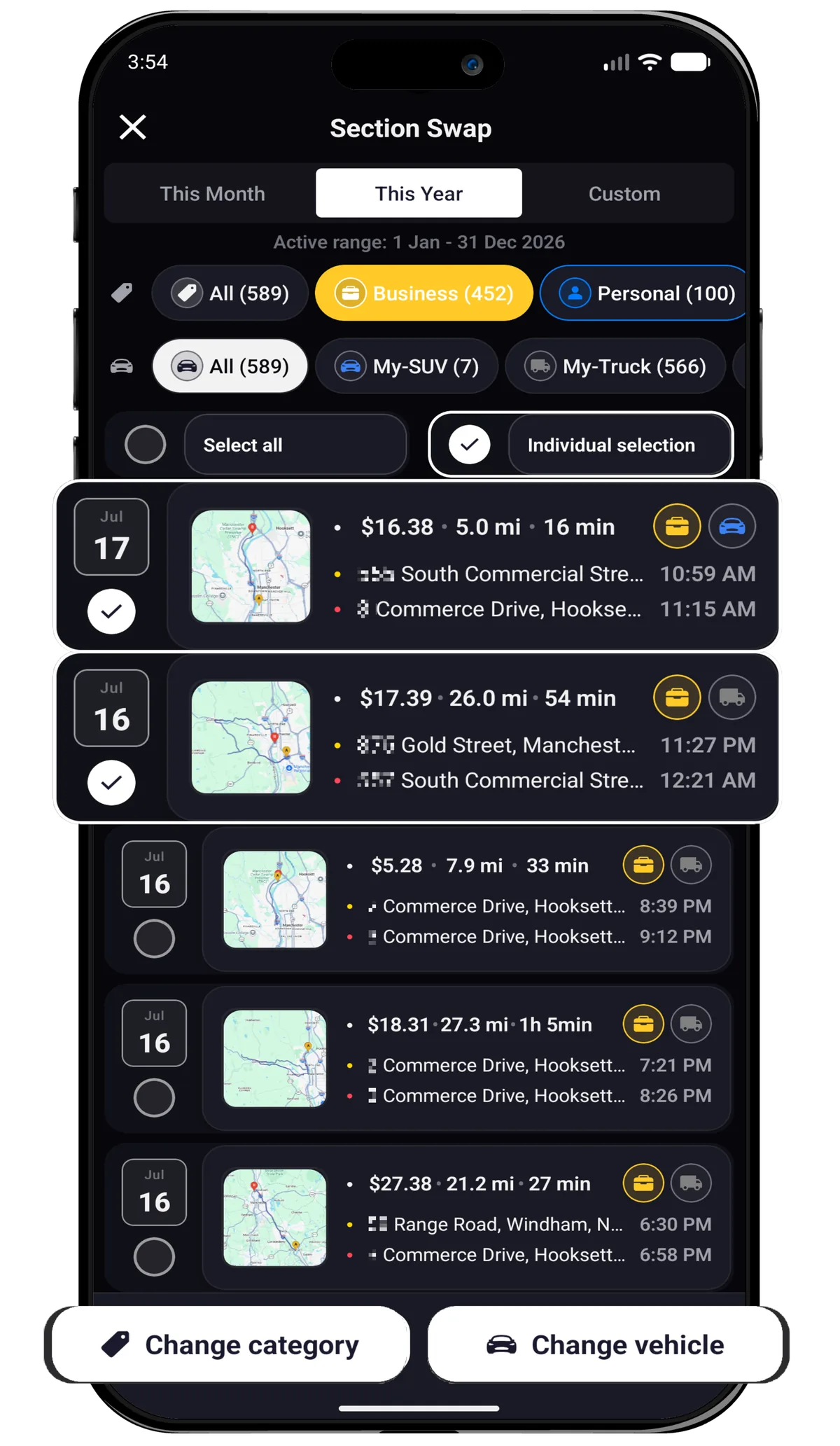
Select multiple trips and classify them in bulk as Personal or Business.
Classify trips as Business, Personal, Medical, or Charity.
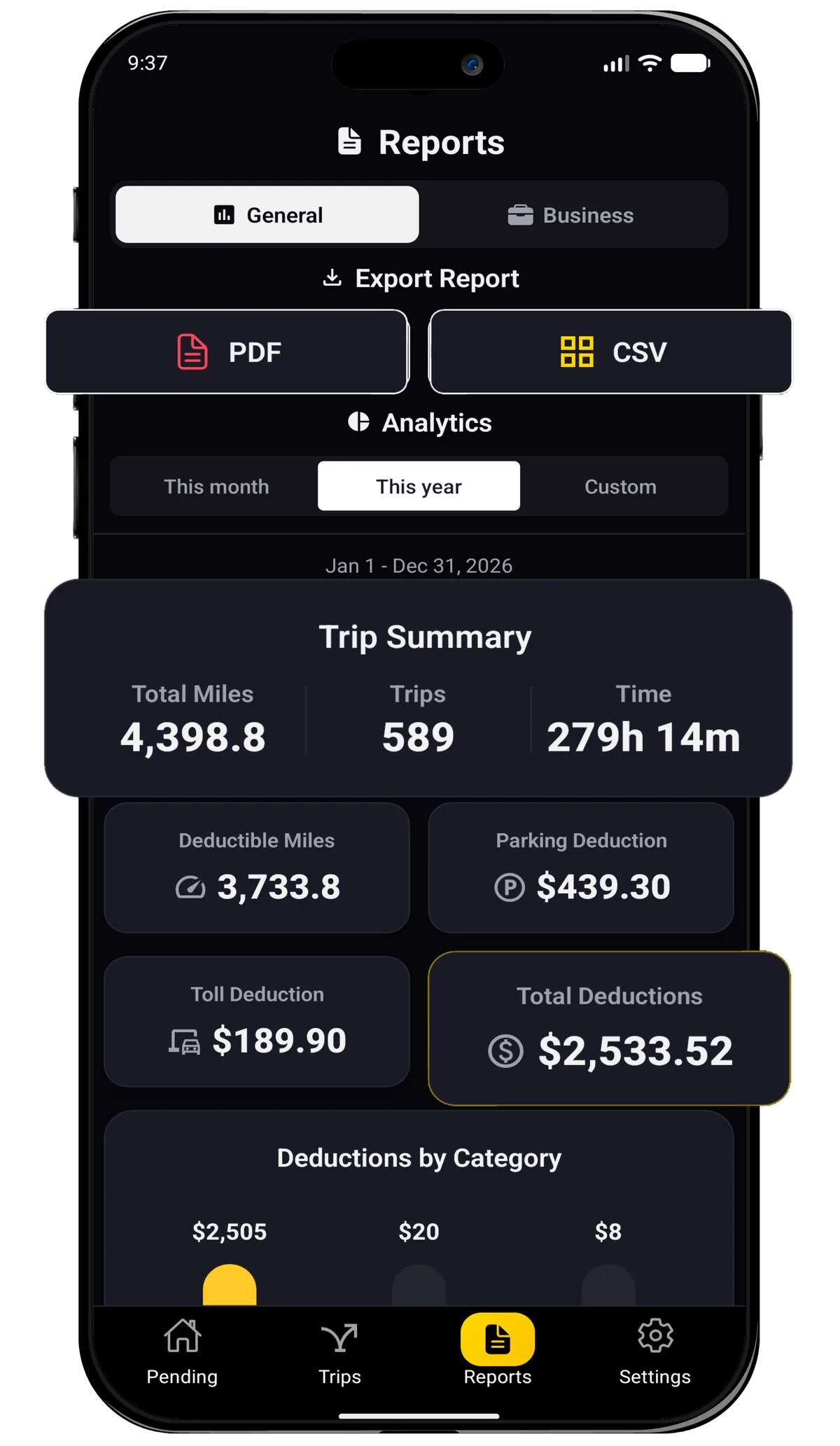
Export reports as PDF or CSV files.
View charts by category, deductions, reported expenses, and vehicle usage.
See pending trips, unclassified miles, and estimated deductions at a glance.
Add, edit, delete, and choose a default vehicle. Supports cars, motorcycles, trucks, and vans.
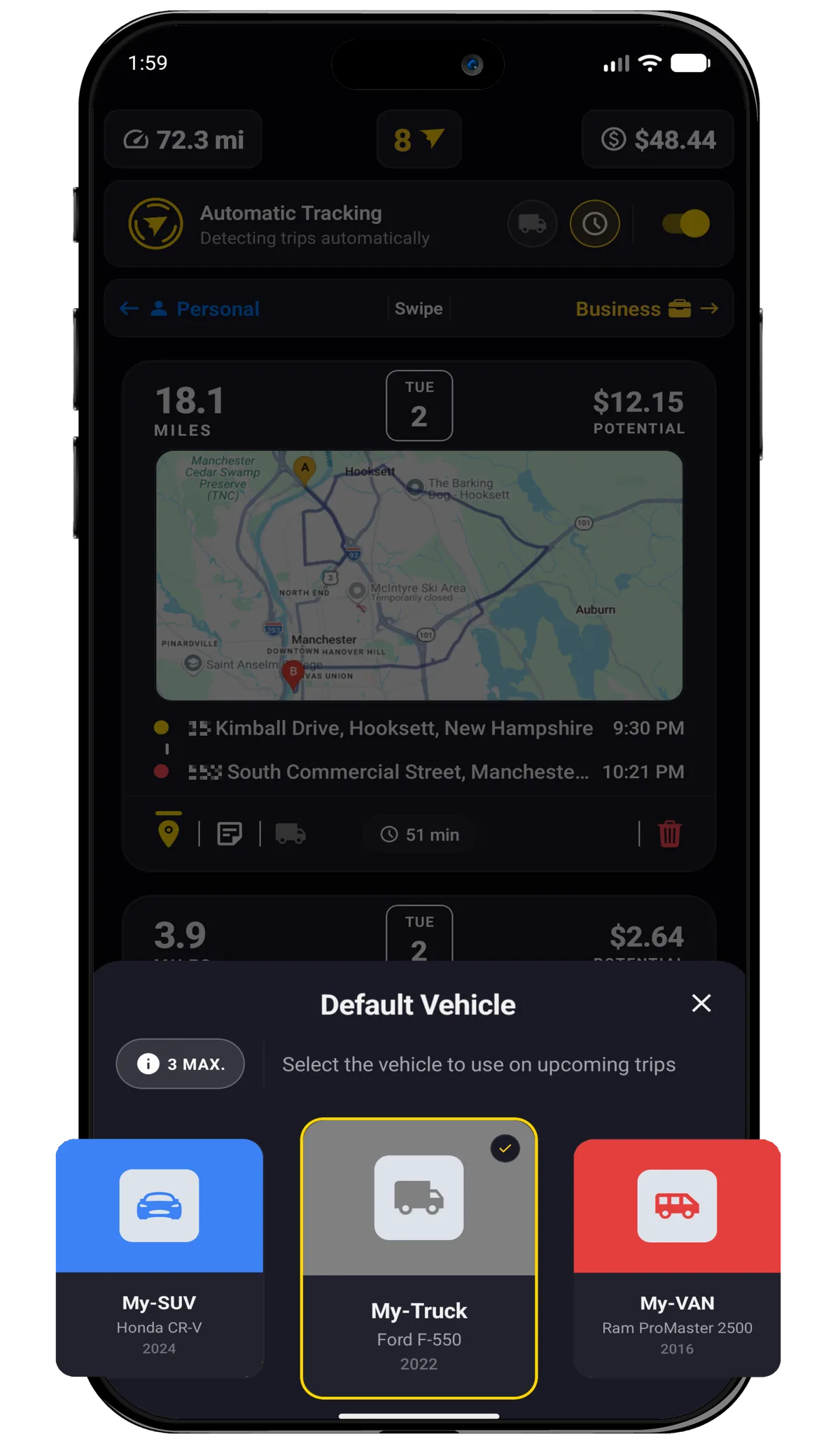
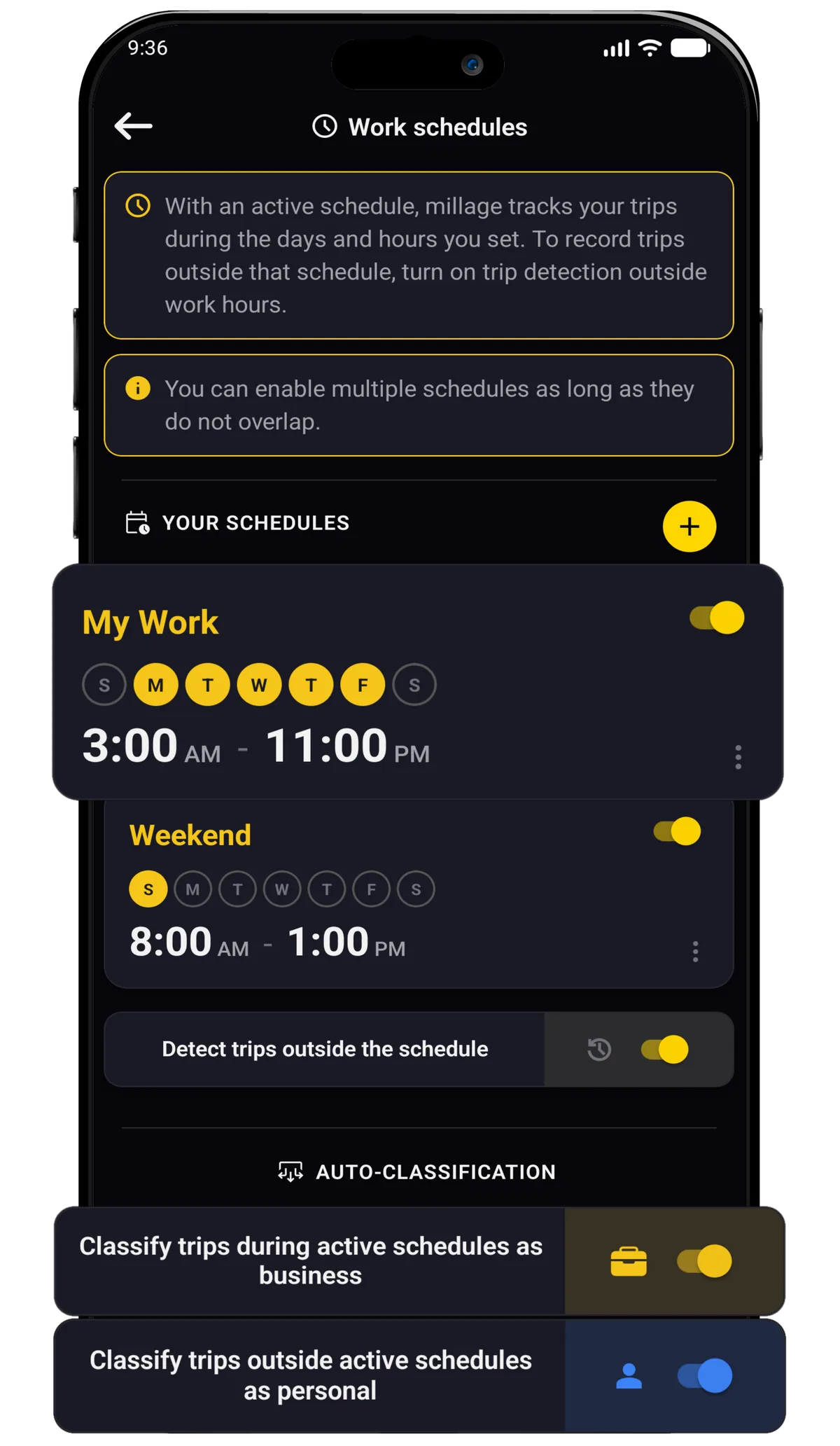
Configure schedules to help classify or control tracking around your work routines.
Change category or vehicle across multiple trips from the exchange/editing section.

Guide users through location, physical activity, battery, and notification permissions.
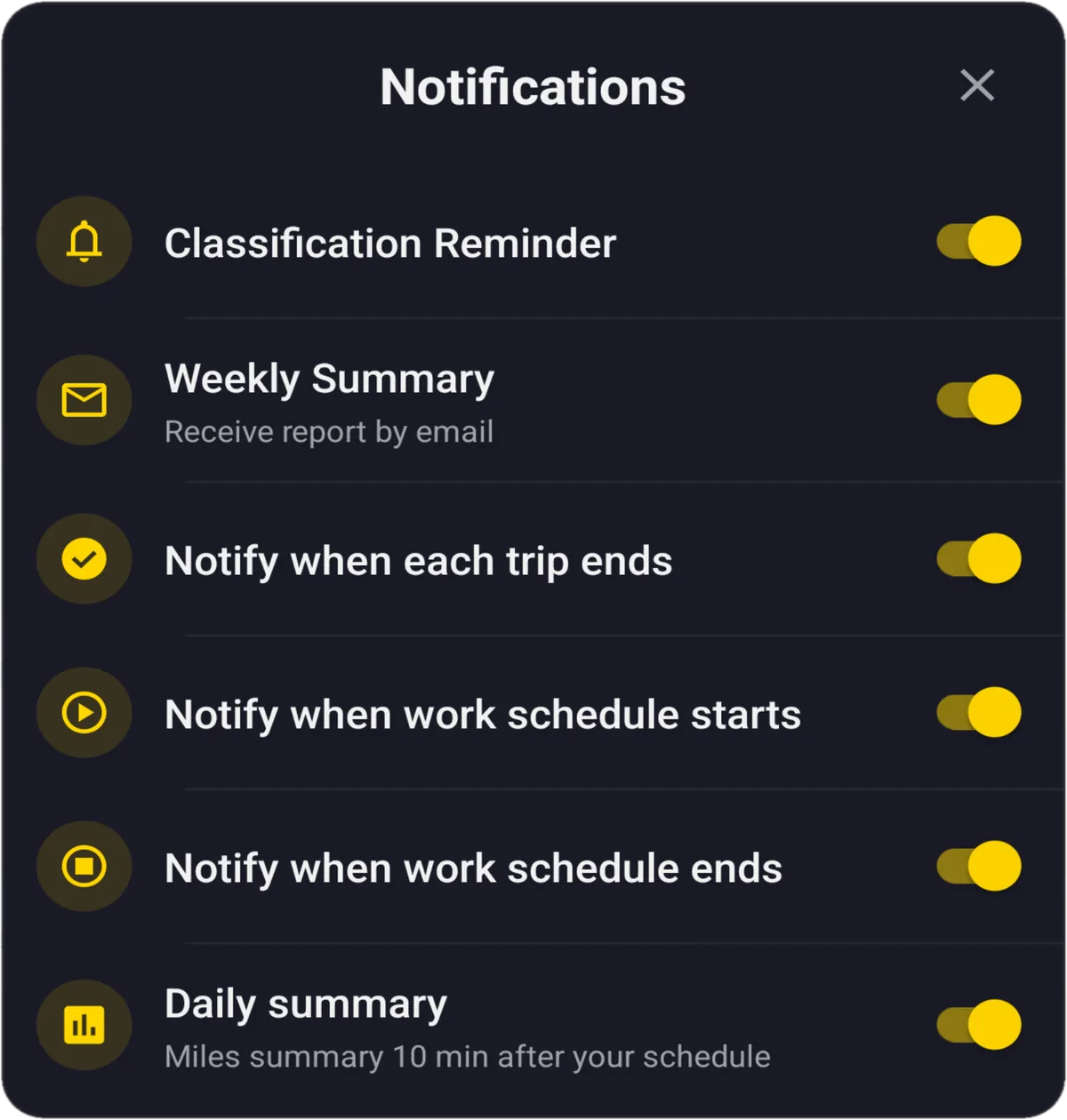
Get notified when the app is tracking, detects a trip, or completes a trip.

Sign in, create an account, recover passwords, and access with Google or Apple.





.svg)